Step 1: Open Rewards
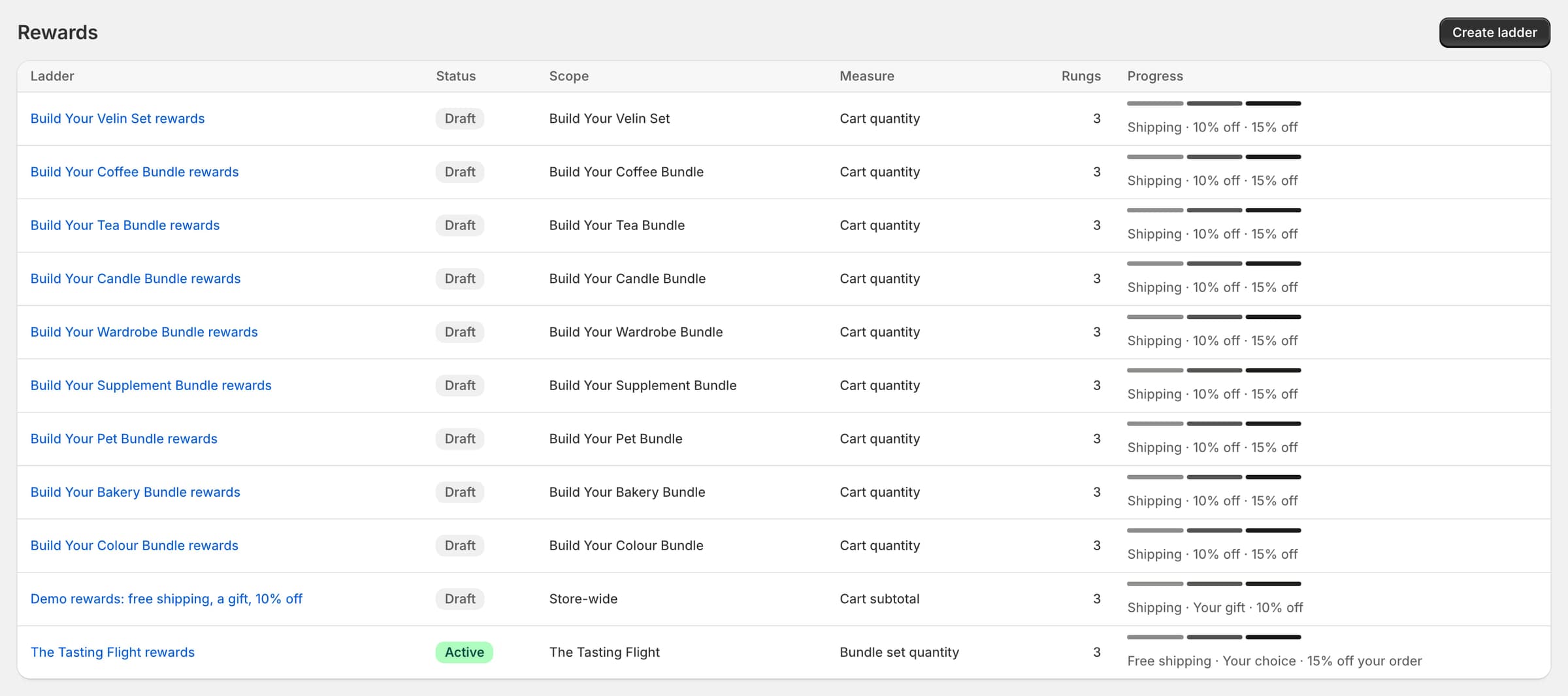
In Luxe, open Rewards and select Create ladder. Pick a template, or Start from scratch.
Step 2: Name it and choose its scope
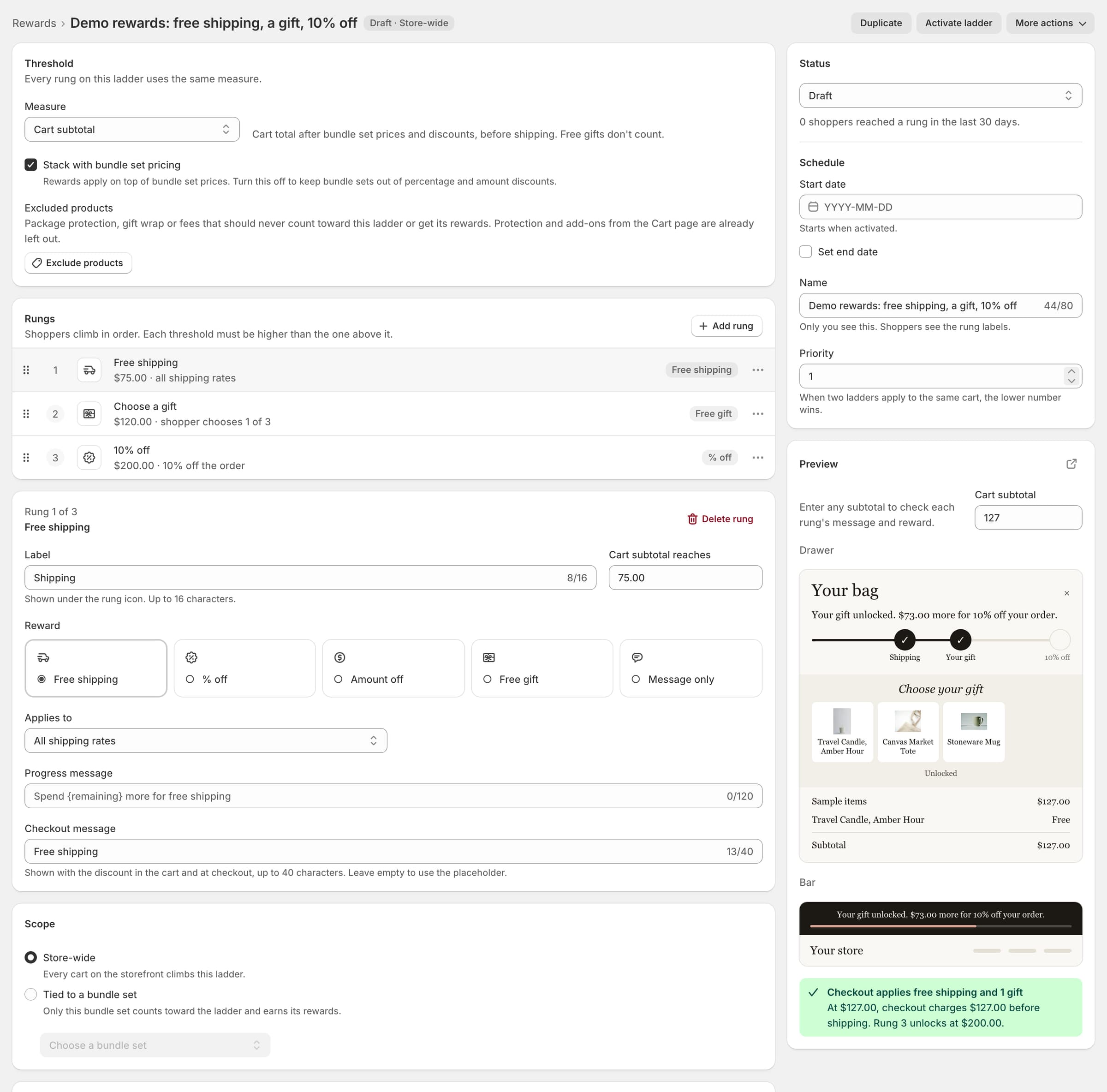
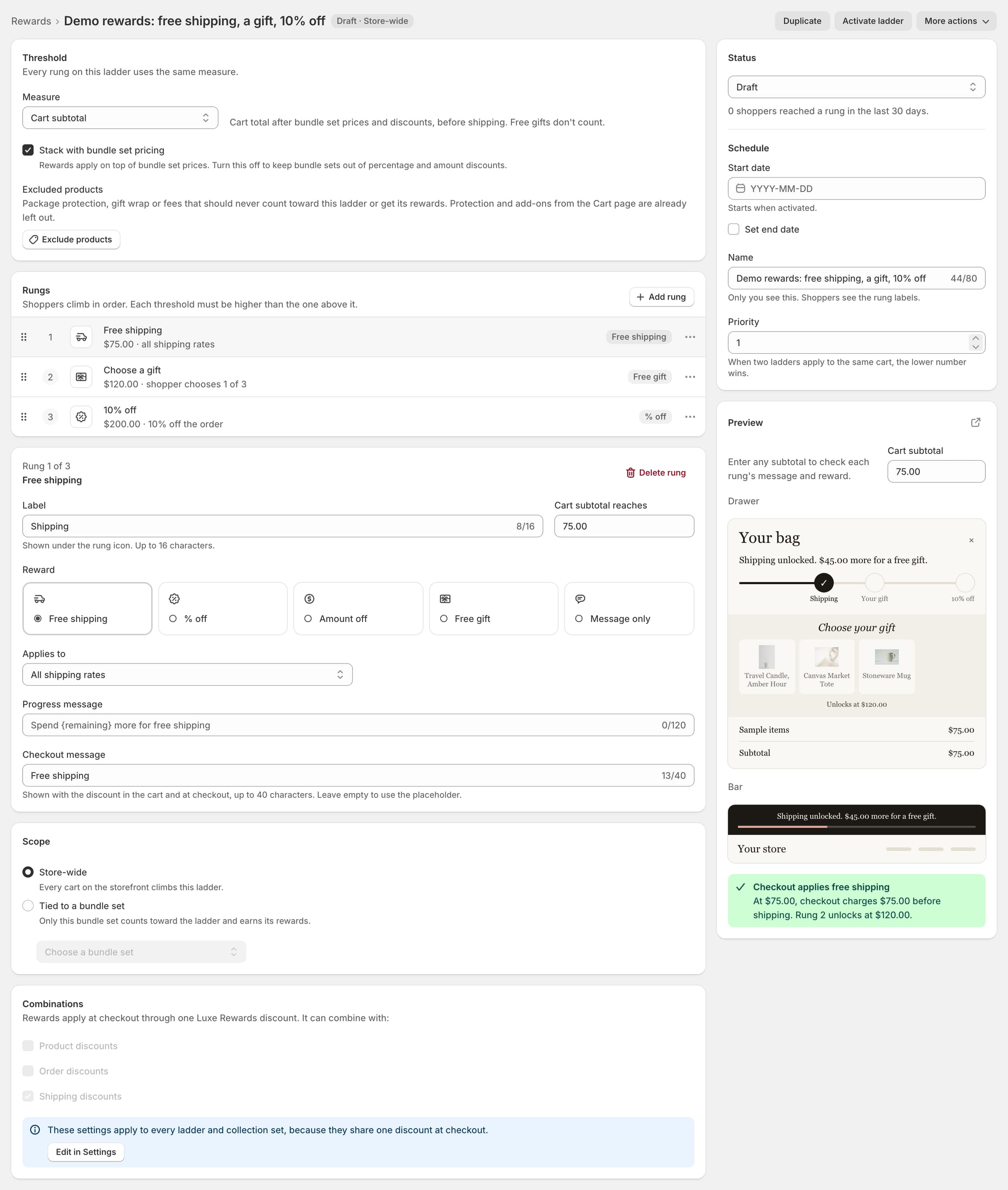
Give the ladder a Name (Demo rewards: free shipping, a gift, 10% off) and a Priority, which decides between ladders when two offer the same money reward.
Choose the Scope: Store-wide, or one bundle set.
Step 3: Choose what the ladder counts
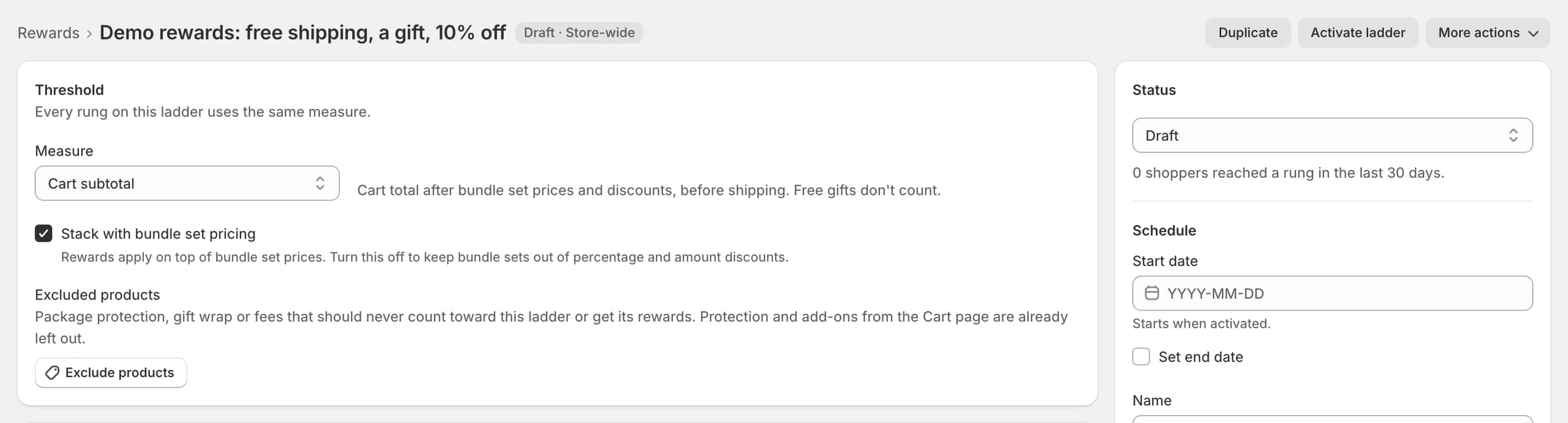
Under Threshold, pick the Measure: Cart subtotal (in your store currency), Cart quantity (all items) or Bundle set quantity (sets in the cart). The demo store's ladder counts the cart subtotal.
Step 4: Add the rungs
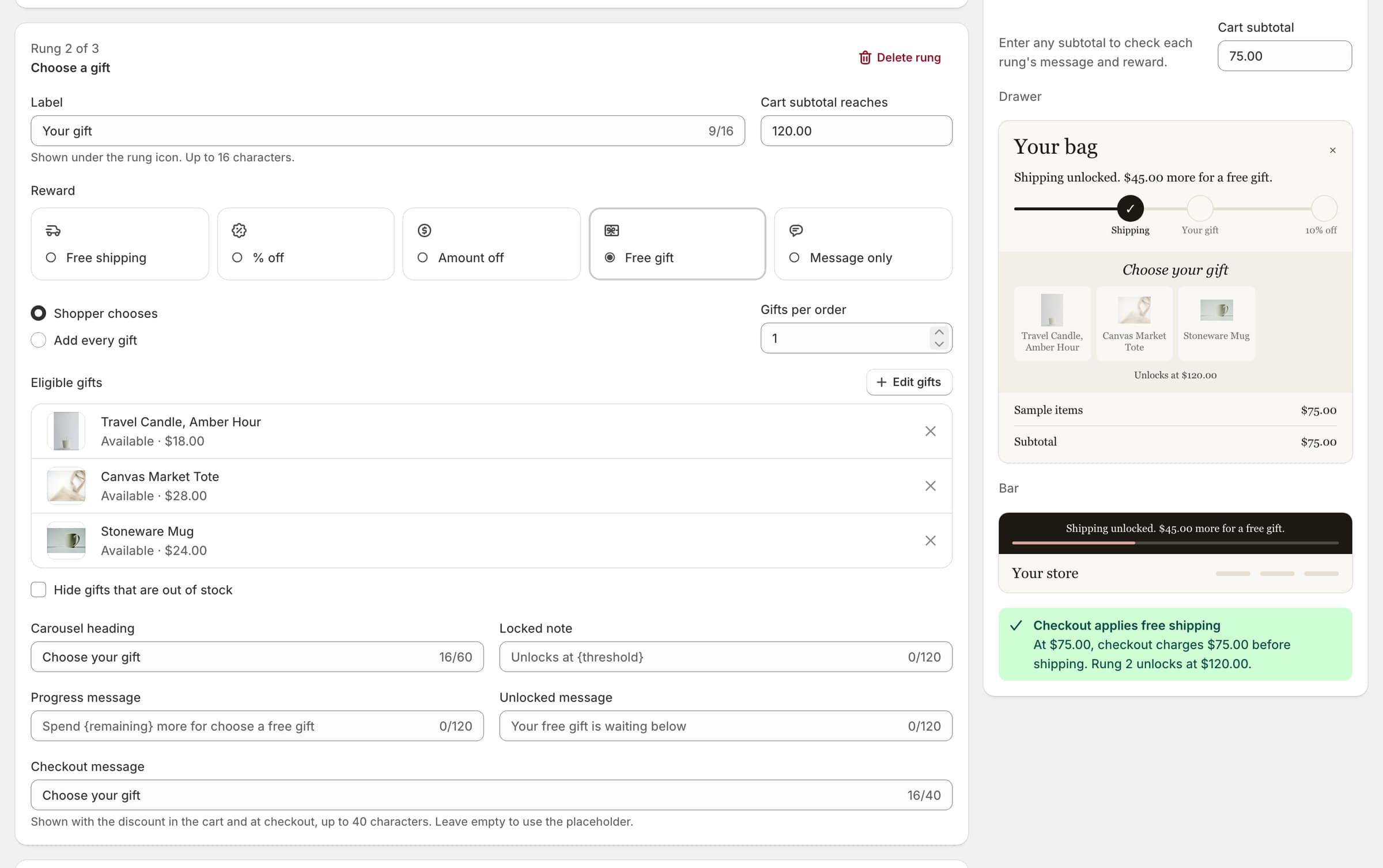
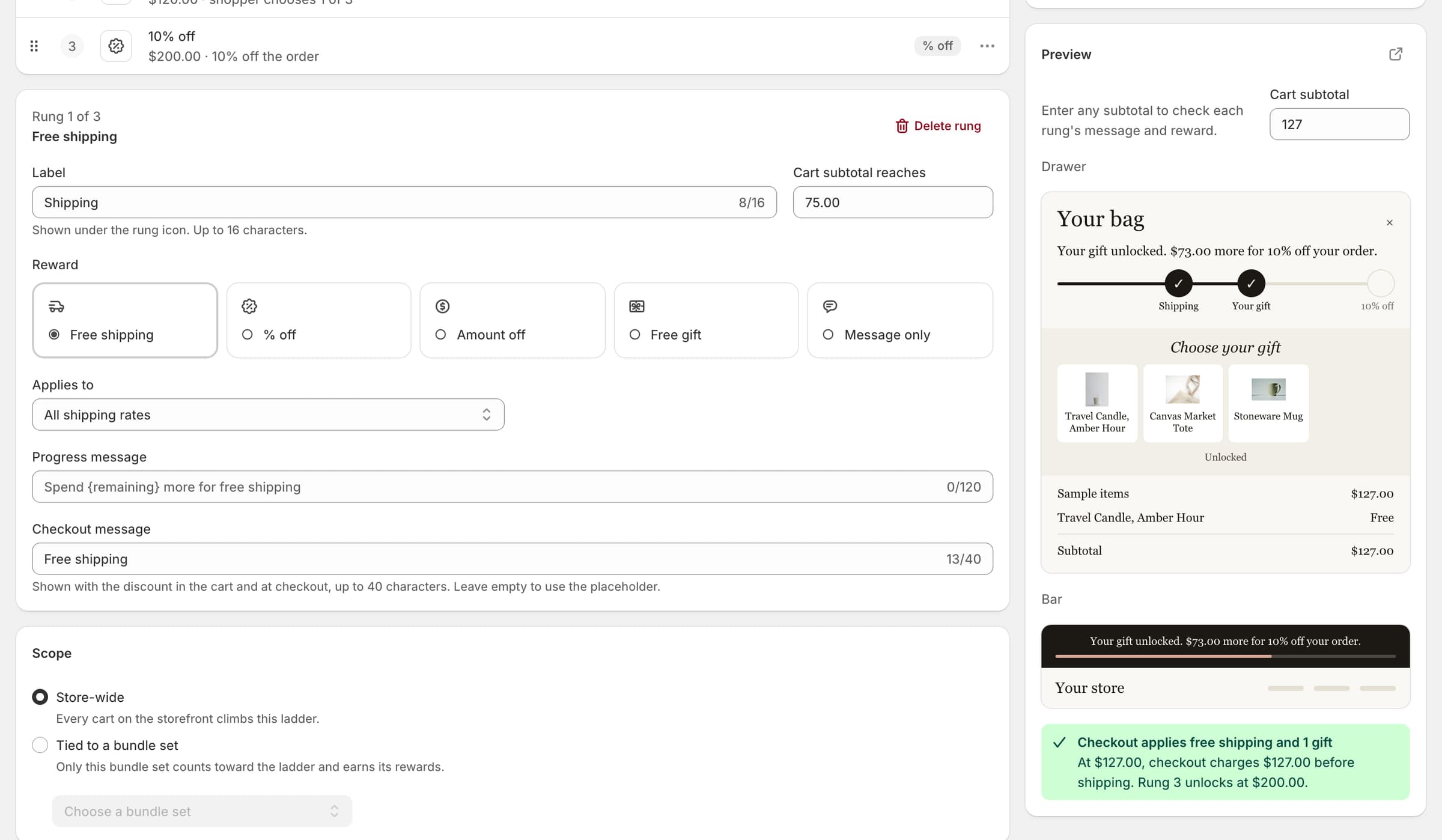
Select Add rung for each step, up to 10. Each rung has a threshold, a reward and the Label shoppers see. Thresholds must increase.
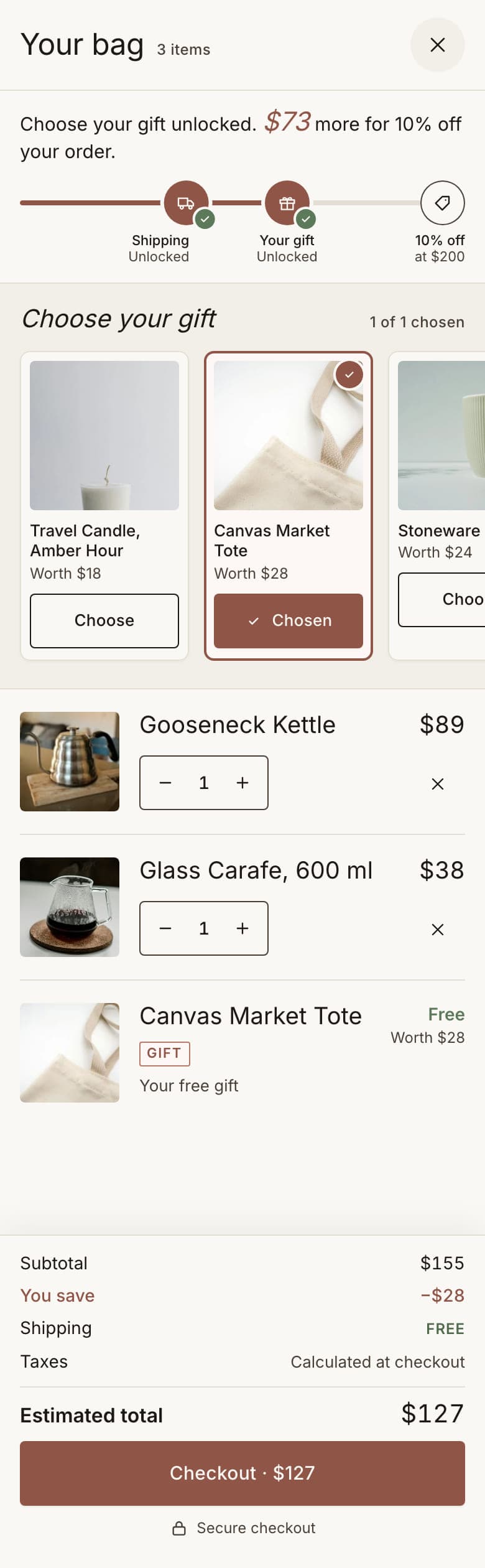
The demo store sets three: Free shipping at $75, Free gift at $120 and Percentage off, 10% off the order, at $200, labelled Free shipping, Choose your gift and 10% off your order.

Step 5: Choose the gifts
On the gift rung, add the gifts the shopper may choose from, up to 10. Every gift must be published to your Online Store. The demo store offers a Travel Candle, Amber Hour; a Canvas Market Tote; and a Stoneware Mug.
Gift cards, Shopify bundles and subscription-only products cannot be gifts; the editor names any it finds.
Step 6: Check the preview
The preview beside the editor shows the drawer and the rewards bar for a sample cart you describe. Try a cart just under a rung, then one just over it.
Step 7: Activate the ladder
Select Activate ladder. Luxe applies every reward through one automatic Shopify discount, Luxe Rewards.
How it combines with your other discounts is one setting, Settings › Checkout and pricing › Discount combinations, and the editor shows the current value.
Step 8: Show it to shoppers
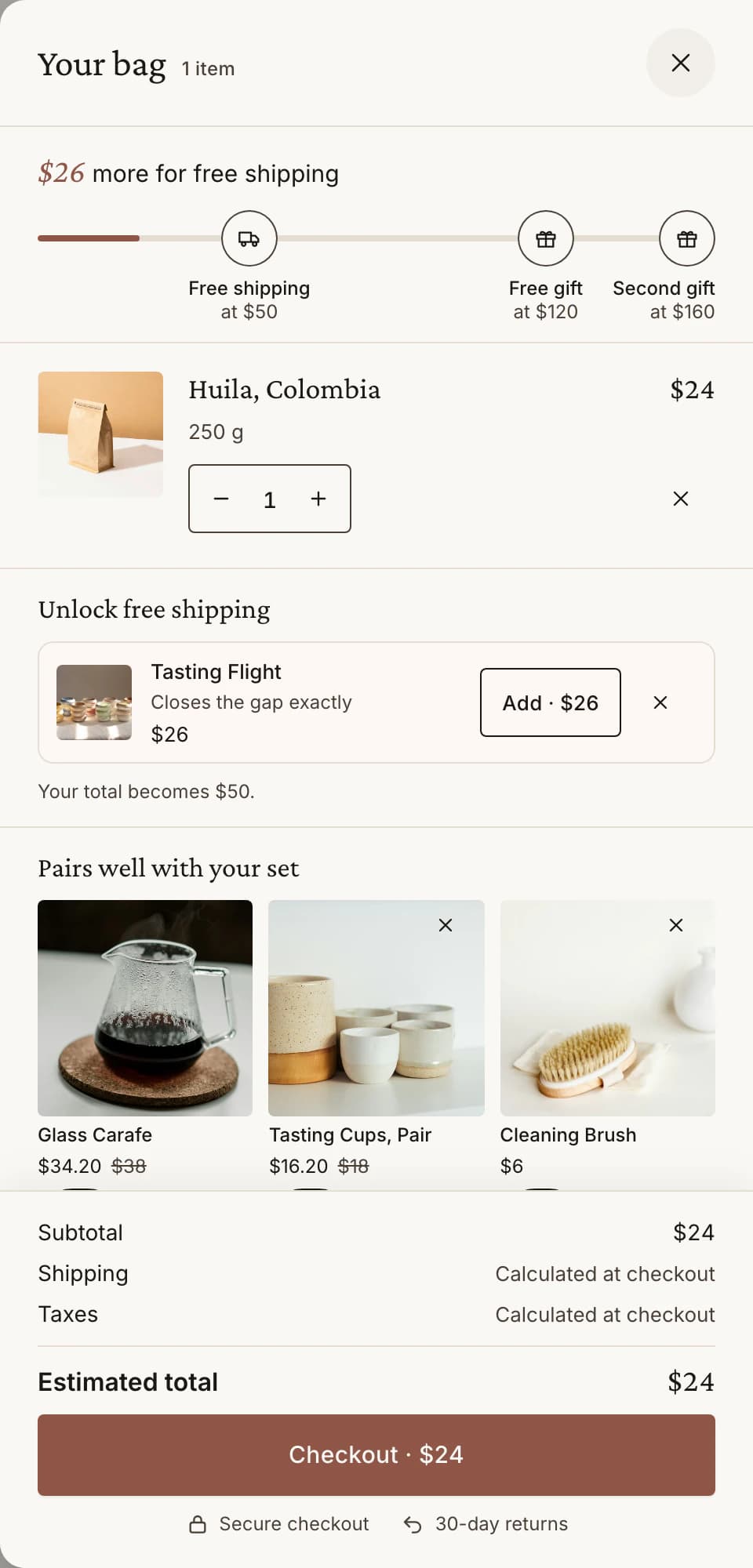
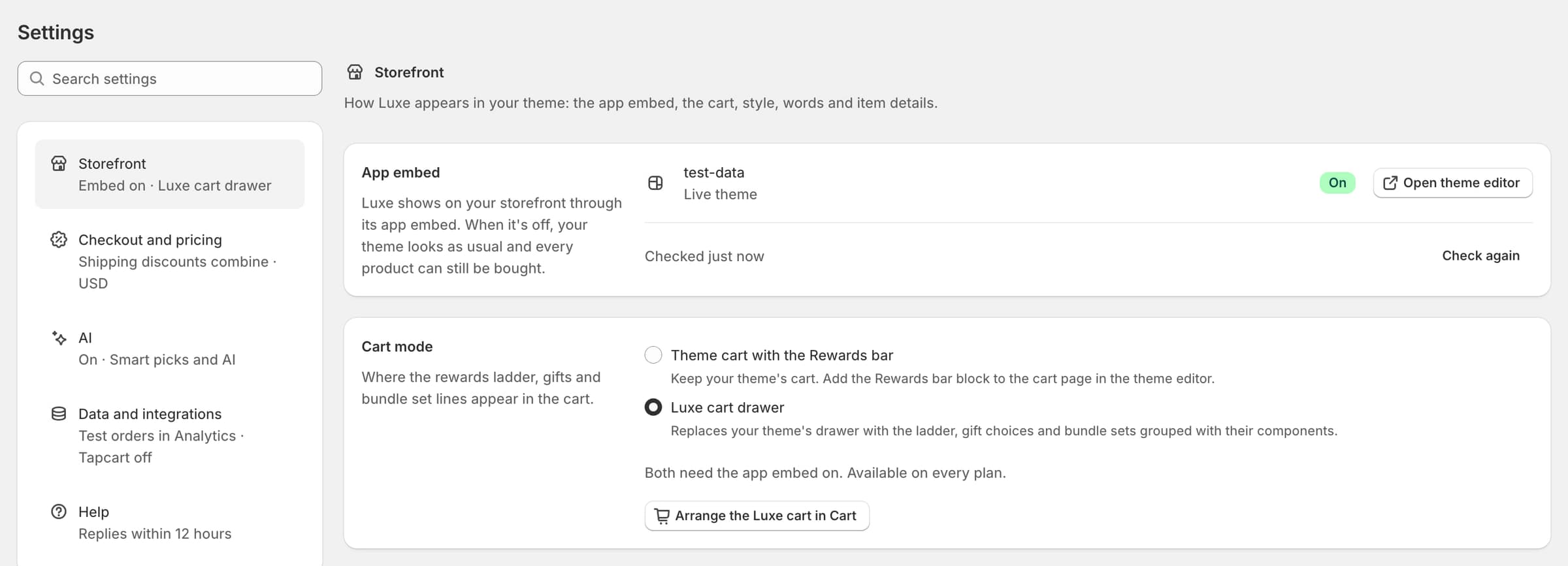
With the Luxe cart drawer (Settings › Storefront › Cart mode), progress and the gift chooser show in the drawer.
Keeping your theme's cart? Add the Rewards bar block in the theme editor where progress should show. Rewards words are in Settings › Storefront › Storefront words (Cart).
What shoppers see
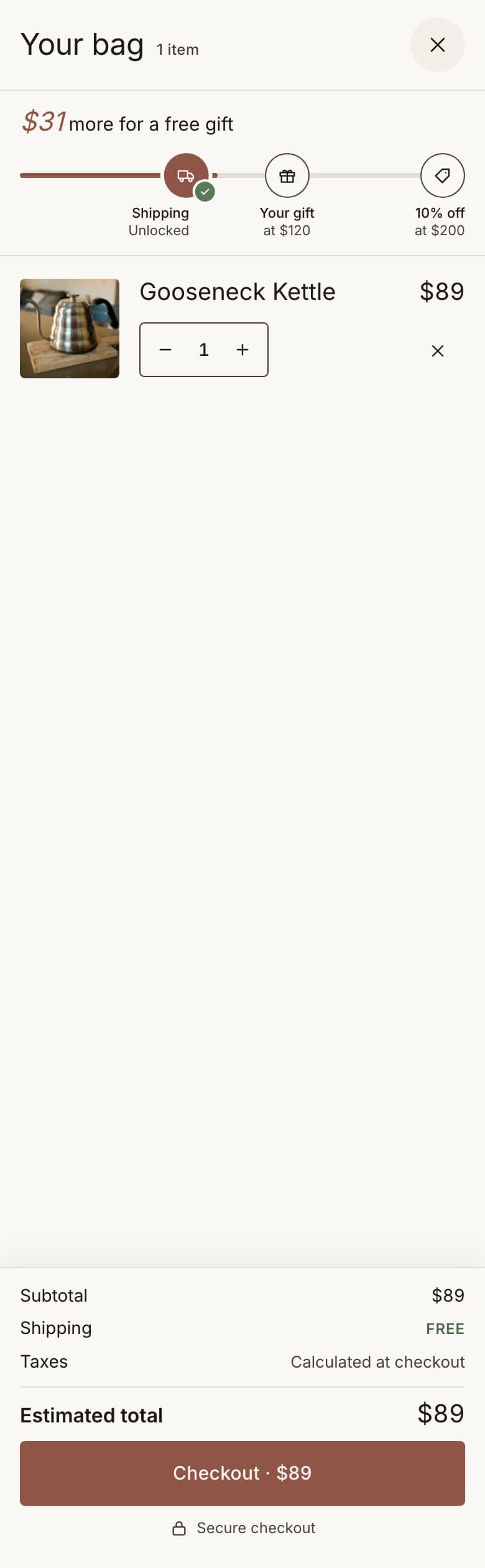
As the cart grows, the rewards bar shows the next step. At $120 the gift chooser opens; nothing is added until the shopper chooses.
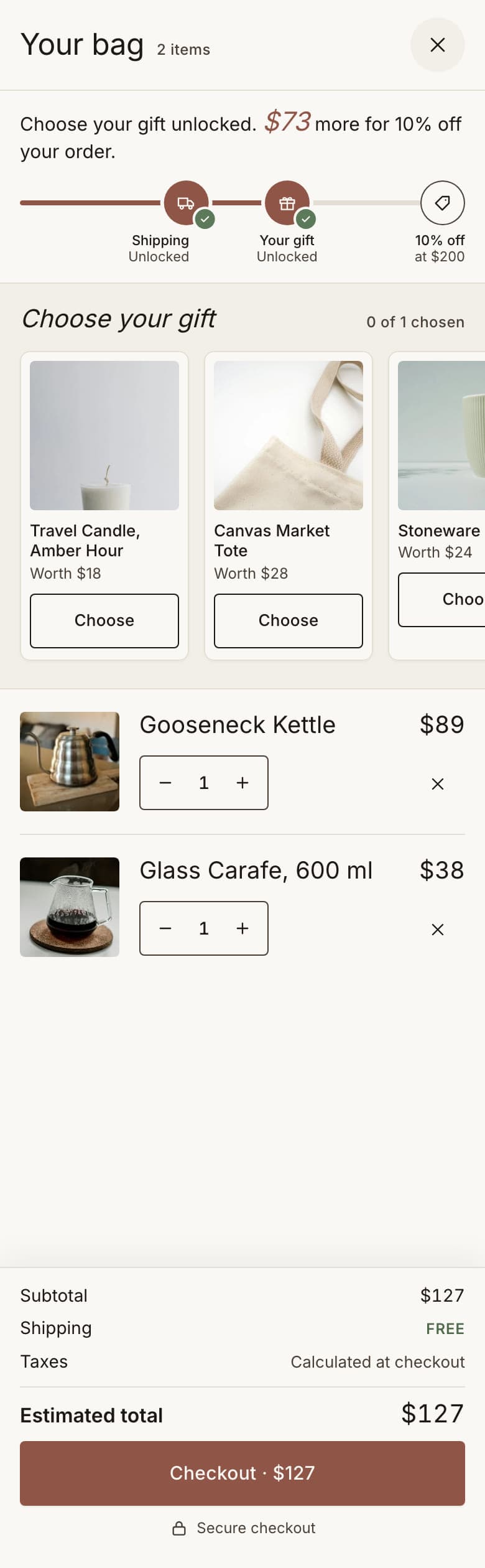
Check it before you share it
Fill a cart past $120, choose a gift and go to checkout: the gift shows at $0 and free shipping applies. Then remove items below $120 and check the gift leaves the cart.